> ## Documentation Index
> Fetch the complete documentation index at: https://shapely.mintlify.site/llms.txt
> Use this file to discover all available pages before exploring further.

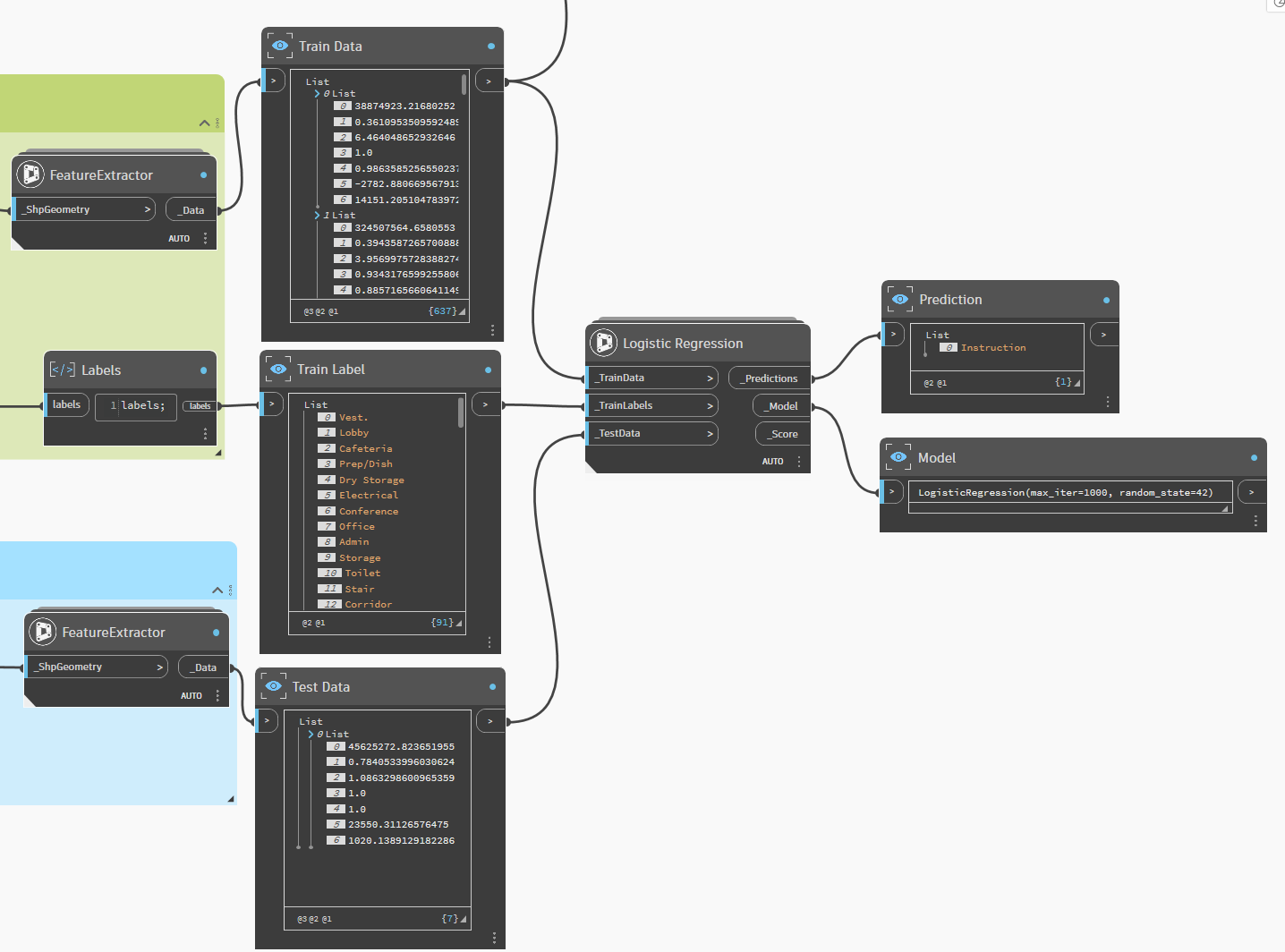
# Logistic Regression

>  Logistic Regression models the probability of a data point belonging to a particular class using a sigmoid function. Despite its name, it is used for classification, not regression.

It is fast, interpretable, and an excellent baseline model for binary classification tasks. 

<Note>
  * Logistic Regression works best when the relationship between features and the target class is approximately **linear**. If you get convergence warnings, try increasing the iteration count.
  * Fast and interpretable always a good first model to try before moving to more complex algorithms.
</Note>

### Use Cases

* **Binary classification**: Determine whether a structural element passes or fails a given criteria (e.g., area threshold).
* **Material suitability**: Predict whether a material is suitable (yes/no) for a given structural condition.

<a href="/images/ML/Logistic Regression.png" target="_blank">
  <img src="https://mintcdn.com/shapely/GiFxyBIPYCb4gWwv/images/ML/Logistic%20Regression.png?fit=max&auto=format&n=GiFxyBIPYCb4gWwv&q=85&s=2e2a34fd3c1cd286e6c24909a6fe733e" className="pointer-events-none" style={{ borderRadius: '0.5rem', border: '1px solid rgba(0,0,0,0.1)' }} width="1436" height="1064" data-path="images/ML/Logistic Regression.png" />
</a>

### An example of test

<Frame>
  <a href="https://github.com/DurmusCesur/docs/releases/download/ML/Machin.Learning-Project.rvt" download="Machine Learning.rvt">
    <button className="bg-gradient-to-r from-blue-600 via-blue-450 to-blue-600 text-white px-6 py-1 rounded-lg shadow-lg hover:bg-gradient-to-l hover:from-blue-500 hover:to-blue-400 transition-all">
      Machine Learning Sample Project - RVT2026.rvt
    </button>
  </a>
</Frame>

<Frame>
  <a href="https://github.com/DurmusCesur/docs/releases/download/ML-Dyn/Logictic.Regression-AutoRoomLabels.dyn" download="Logistic Regression.dyn">
    <button className="bg-[#16A34A] text-white px-5 py-1 rounded-md hover:bg-[#15803D] transition-colors">
      Logistic Regression.dyn
    </button>
  </a>
</Frame>