> ## Documentation Index
> Fetch the complete documentation index at: https://shapely.mintlify.site/llms.txt
> Use this file to discover all available pages before exploring further.

# Linear Regressor

>  Linear Regression is the most fundamental regression algorithm. It models the relationship between features and a target value by fitting a straight line (or hyperplane) that minimizes the sum of squared errors.

It is the simplest, fastest, and most interpretable regression model always a good starting point. 

<Note>
  Linear Regression has **no hyperparameters** to tune, making it extremely easy to use. After training, each coefficient directly tells you how much the target changes when that feature increases by one unit.

  **Always try Linear Regression first as a baseline.**
</Note>

### Use Cases

* **Baseline model**: in any AEC prediction workflow.
* **Quick cost estimation**: based on simple geometric quantities.
* **Energy demand approximation**: in early design phase.
* **Sensitivity analysis**: Understanding how each design parameter affects the output.

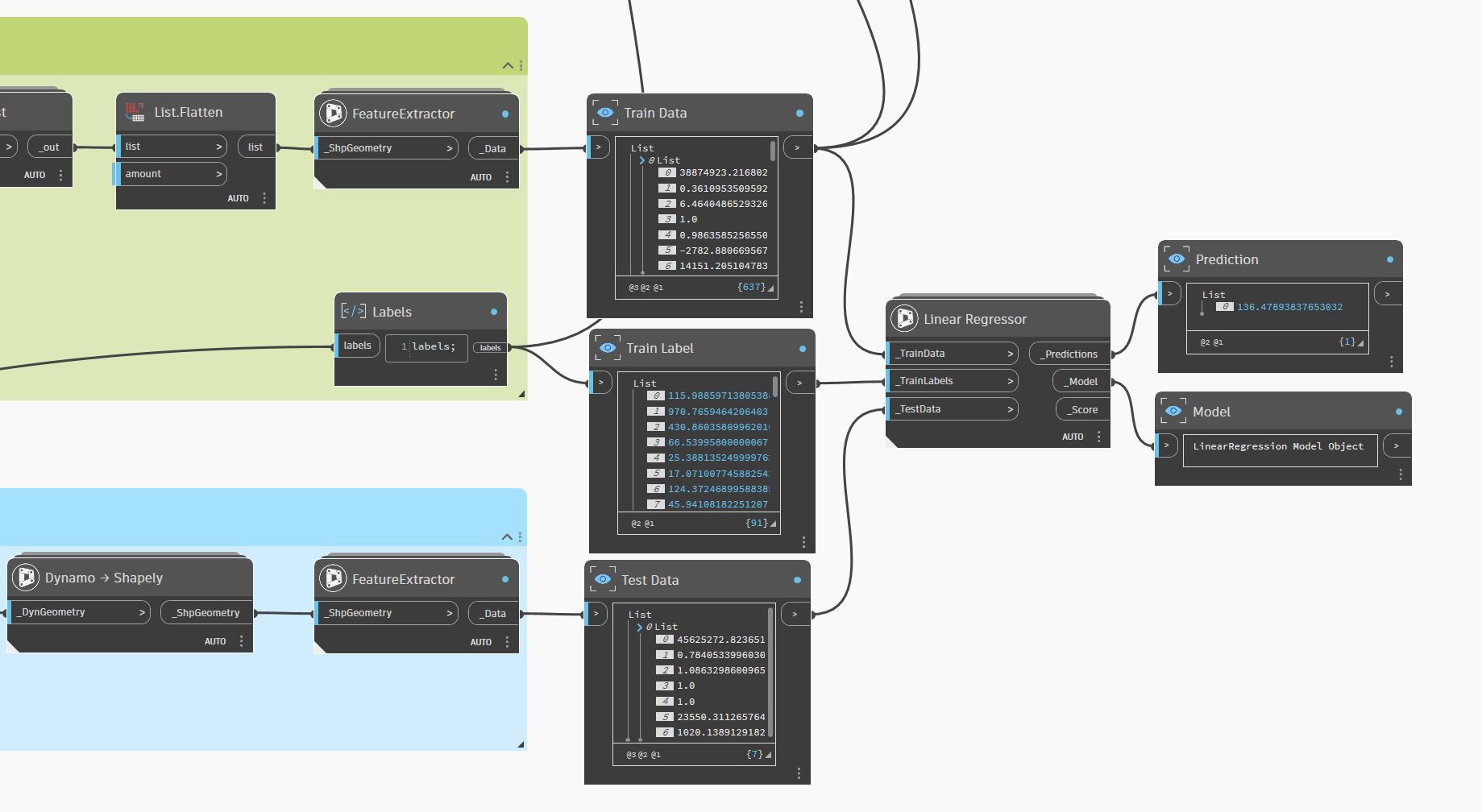
<a href="/images/ML/Linear Regression.png" target="_blank">
  <img src="https://mintcdn.com/shapely/k8EK4RW_OYOqKd74/images/ML/Linear%20Regression.png?fit=max&auto=format&n=k8EK4RW_OYOqKd74&q=85&s=fa90f70e6bc02a59af1486de28cca7af" className="pointer-events-none" style={{ borderRadius: '0.5rem', border: '1px solid rgba(0,0,0,0.1)' }} width="1839" height="1008" data-path="images/ML/Linear Regression.png" />
</a>

### An example of test

<Frame>
  <a href="https://github.com/DurmusCesur/docs/releases/download/ML/Machine.Learning.rvt" download="Machine Learning.rvt">
    <button className="bg-gradient-to-r from-blue-600 via-blue-450 to-blue-600 text-white px-6 py-1 rounded-lg shadow-lg hover:bg-gradient-to-l hover:from-blue-500 hover:to-blue-400 transition-all">
      Machine Learning - RVT2026.rvt
    </button>
  </a>
</Frame>

<Frame>
  <a href="https://github.com/DurmusCesur/docs/releases/download/ML-Dyn/Linear.Regression.dyn" download="Linear Regression.dyn">
    <button className="bg-[#16A34A] text-white px-5 py-1 rounded-md hover:bg-[#15803D] transition-colors">
      Linear Regression.dyn
    </button>
  </a>
</Frame>